Commercial Power Verification for AT&T Services
Here are the basic instructions for how you can verify that your equipment has power, prior to opening a trouble report with AT&T.
Things like brownouts, construction work and downed power lines can cause power disruptions. If your location doesn’t have power, don’t open a trouble report with AT&T. Wait for power to be restored and AT&T services should be restored at that time.
How to verify power
- Look at the telecommunications equipment. If the lights are lit – you have power. No lights – no power.
- Even if the equipment at the customer location is provided by AT&T, AT&T is not responsible for providing commercial power to the equipment.
- Below are a few photos depicting common telecommunications equipment lights to give you an idea of what to look for.
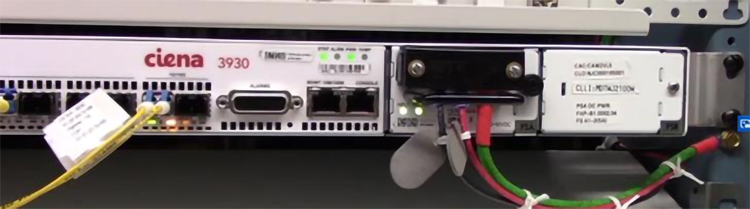
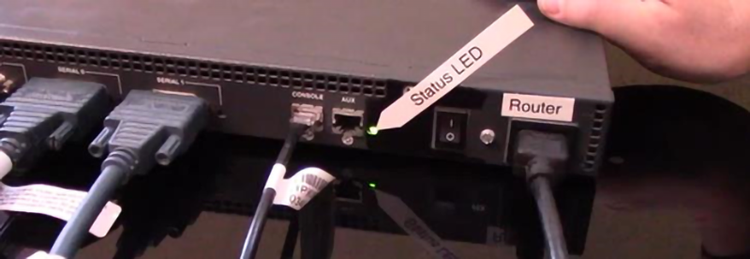
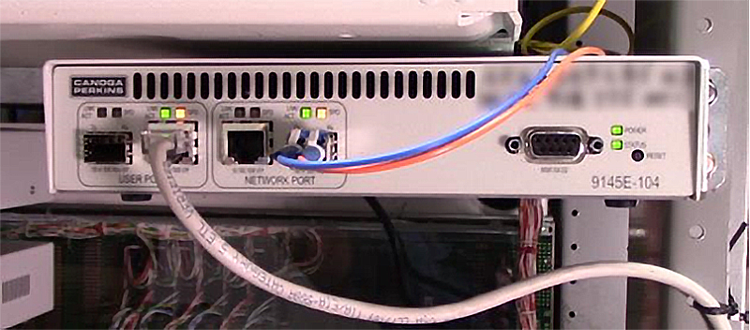
Pictures of the back of common telecommunications equipment, showing lights lit.
Related content
- How to submit an online ticket for your AT&T Business networking services
- How to use the Enterprise Virtual Assistant (EVA)
- Troubleshoot power issues at your site
- Find support for AT&T Secure Remote Access (Zscaler)
- Contact and escalation guide for Standard Care: AT&T Wi-Fi
- Contact and escalation guide for Enhanced Care: AT&T Wi-Fi
- Service Assurance support model for AT&T SD-WAN
- How to check ticket status and add updates for your AT&T Business networking services
- AT&T Express Ticketing